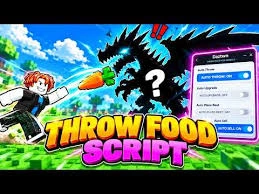
Throw Food For Animals Script is a third-party Roblox tool designed to simplify food throwing, animal collection, selling, and strength training. It offers several advertised automation features, including Auto Perfect Throw, Auto Buy Food, Auto Upgrade Base, Auto Sell, Auto Equip Best, and Auto Pull Ups.
Throw Food For Animals revolves around launching food as far as possible to attract animals from different areas. Players collect pets that generate money and use their progress to unlock upgrades and explore new locations. Repeating throwing, training, and purchasing activities can take time as the game becomes more challenging.
The script brings together automation, movement controls, and convenience options to make these activities easier to manage. Whether you want to automate throwing, purchase food, improve your strength, or upgrade your base, its advertised features cover several important parts of progression.
Table of Contents
About Throw Food For Animals
How far can you throw your food, and which animals will you attract? Throw Food For Animals is a Roblox game focused on throwing food across different distances to attract animals and build a collection of pets.
The main objective is to launch food as far as possible, reach new areas, and attract different animals. As you collect pets, they can generate money that helps you improve your progress and unlock additional opportunities.
Training your character and upgrading your equipment are important parts of the gameplay loop. Players need to improve their throwing ability, purchase food, and manage their available resources to reach greater distances.
As you advance, these activities can become repetitive. Throw Food For Animals Script is advertised as providing automation options that help manage throwing, purchases, selling, and upgrades with less manual effort.
Throw Food For Animals Script 2026
Throw Food for Animals Script Noctarion Hub | Auto Throw Loop, Auto Start Training
For PC
loadstring(game:HttpGet("https://nhmain.vercel.app/Loader/Main.lua"))()

For Mobile
loadstring(game:HttpGet("https://nhmain.vercel.app/Loader/Main.lua"))()
Throw Food For Animals Script Mystrix Hub | Auto Perfect, Instant Throw, Auto 2x Press, Auto Train
loadstring(game:HttpGet("https://raw.githubusercontent.com/ummarxfarooq/mystrix-hub/refs/heads/main/loader"))()Throw Food For Animals Script CM Hub | Auto Train, Auto Perfect Throw, Auto Sell, Teleports
loadstring((request or http_request)({Url="https://cmhub-key-system.cmhub.workers.dev/l.lua"}).Body)()Throw Food For Animals Script ToraHub | PERFECT THROW, x2 TRAIN
loadstring(game:HttpGet("https://raw.githubusercontent.com/gumanba/Scripts/main/ThrowFoodForAnimals"))()Throw Food For Animals Script Roxys Hub | INSTANT TAKE, FAST INSTANT
loadstring(game:HttpGet("https://api.jnkie.com/api/v1/luascripts/public/021697ee14ffbaeaa247075822d1c27906f2742fccbc387062e9ce8e60914bfd/download"))()

Source: https://cheater.fun/hacks_roblox/85177-throw-food-for-animals-script.html
Also check : +1 Venom Evolution Script
What Is Throw Food For Animals Script?
Throw Food For Animals Script is an unofficial third-party Roblox tool designed to automate or modify selected gameplay activities. Its advertised functions focus on throwing food, buying supplies, selling items, training strength, and upgrading different parts of the game.
The script includes options such as Auto Perfect Throw, which is intended to automate the perfect-throw action, and Auto Buy Food, which handles supported food purchases. Other features focus on automatic selling, equipment selection, base upgrades, and pull-up training.
It also provides movement options such as Fly, Infinite Jump, WalkSpeed, and NoClip. These utilities are intended to offer additional movement control while exploring the game.
The exact functionality depends on the script version and its compatibility with the current game. Third-party tools may also violate Roblox’s rules or introduce security risks.
Throw Food For Animals Script Features
The following sections explain the advertised features and their intended purposes.
1. Throwing and Progression Features
These features focus on automating important activities associated with throwing food and improving overall progress.
Auto Perfect Throw
Auto Perfect Throw is designed to automate the perfect-throw action. Instead of manually timing every throw, this feature is intended to handle supported throwing interactions automatically.
It may help reduce repetitive input while working toward greater throwing distances.
Auto Upgrade Base
Auto Upgrade Base is intended to purchase or apply available base upgrades automatically. Improving the base can support progression and help players develop their in-game setup.
The available upgrades depend on the game’s progression system and the script’s implementation.
Auto Sell
Auto Sell is designed to automate supported selling activities. This may reduce the need to repeatedly interact with selling options while managing collected resources.
Auto Equip Best
Auto Equip Best automatically selects and equips the best available options supported by the game. It is intended to make equipment management more convenient without requiring players to compare every option manually.
2. Food and Strength Training Features
Food purchases and strength training are important parts of progressing in Throw Food For Animals. The script includes automation options for handling these repeated activities.
Auto Buy Food
Auto Buy Food is intended to purchase available food automatically. Since food is used for throwing and attracting animals, managing supplies is an important part of the gameplay loop.
This feature aims to reduce repeated shop interactions and help maintain the available food supply.
Auto Pull Ups
Auto Pull Ups is designed to automate pull-up training activities. It may help reduce the manual effort involved in repeatedly training your character.
Auto Upgrade Pull Ups
Auto Upgrade Pull Ups is intended to automate available upgrades related to pull-up training. This feature focuses on improving the supported training system as players progress.
3. Movement Features
Movement utilities provide additional ways to navigate the game world. These options may make exploration more convenient, although their behavior depends on the script version.
Fly
Fly enables an alternative flying movement mode. It is intended to let players move through the environment without relying entirely on normal ground movement.
Infinite Jump
Infinite Jump allows repeated jumping instead of following the game’s usual jump limitations. Its actual behavior depends on the game’s movement mechanics and script compatibility.
WalkSpeed
WalkSpeed provides an option for adjusting the character’s movement speed. This setting is intended to give players additional control over how quickly they travel around the map.
NoClip
NoClip is designed to allow movement through certain solid objects that would normally block the player’s path. Its effectiveness depends on the game’s collision system and the script’s implementation.
4. Additional Convenience Features
The script description also mentions performance options and utilities for handling repetitive interactions. These are intended to make longer gameplay sessions more convenient.
Performance Options
Performance-related settings are advertised as additional utilities for adjusting the gameplay experience. The exact controls and their effects are not specified in the available feature description.
Automatic Reconnection
The script is also described as including a convenience feature for reconnecting after a kick. Its purpose is to help players return to the game following certain interruptions.
However, automatic reconnection is not guaranteed to work in every situation, and it does not prevent account restrictions or server disconnections.
How to Use Throw Food For Animals Script
The setup process can vary depending on the script version and the third-party software involved. Before using an unofficial tool, consider these precautions:
- Open Roblox and review the rules that apply to Throw Food For Animals.
- Check the source of any third-party software before downloading it.
- Read the available documentation to understand the tool’s requirements and advertised features.
- Avoid suspicious downloads or programs that request unnecessary permissions.
- Never share your Roblox password, authentication cookies, or session tokens with third-party tools.
- Remember that unauthorized automation and movement modifications may violate Roblox’s rules and could result in account restrictions.
Using the game’s built-in throwing, training, and upgrade systems is the safest way to progress without the additional risks associated with unofficial scripts.
Is Throw Food For Animals Script Safe?
The safety of Throw Food For Animals Script cannot be confirmed from its advertised features alone. Unverified scripts may contain malicious code, direct users to unsafe downloads, or expose sensitive account information.
There is also an account-related risk. Features that automate throwing, purchases, selling, or movement may conflict with the game’s intended mechanics or Roblox’s rules.
To protect your account and device, avoid suspicious files, never share login credentials, and review Roblox’s current policies before using third-party software. No unofficial script should be considered completely safe or guaranteed to avoid account penalties.
Frequently Asked Questions
What Is Throw Food For Animals Script?
Throw Food For Animals Script is an unofficial Roblox tool advertised as providing automation for throwing, food purchases, selling, strength training, equipment selection, and base upgrades.
What Does Auto Perfect Throw Do?
Auto Perfect Throw is intended to automate the perfect-throw action, reducing the need to manually time every throwing attempt.
Does the Script Include Auto Buy Food?
Yes. Auto Buy Food is one of the advertised features and is designed to automate supported food purchases.
What Is Auto Upgrade Base?
Auto Upgrade Base is intended to automate available base upgrades, helping simplify certain progression activities.
Can Throw Food For Animals Script Automatically Train Strength?
The script advertises Auto Pull Ups and Auto Upgrade Pull Ups. These features are intended to automate supported training activities and related upgrades.
What Does Auto Equip Best Do?
Auto Equip Best is designed to select and equip the best available options supported by the game, making equipment management easier.
Does the Script Include Fly and NoClip?
Yes. Fly and NoClip are among its advertised movement features. Fly provides an alternative flying movement mode, while NoClip is intended to allow movement through certain solid objects.
What Is Infinite Jump?
Infinite Jump is designed to allow repeated jumping beyond the game’s usual jump limitations. Its functionality depends on compatibility with the current game version.
Can Using Throw Food For Animals Script Get My Roblox Account Banned?
Yes. Using unauthorized scripts that violate Roblox’s rules may result in account restrictions or other penalties. Players should review the applicable policies before using third-party tools.
Conclusion
Throw Food For Animals Script is advertised as a gameplay automation tool for the Roblox experience Throw Food For Animals. Its features include Auto Perfect Throw, Auto Buy Food, Auto Upgrade Base, Auto Sell, Auto Equip Best, Auto Pull Ups, and Auto Upgrade Pull Ups.
It also offers movement utilities such as Fly, Infinite Jump, WalkSpeed, and NoClip, along with additional convenience options. These functions are intended to reduce repetitive activities and make progression easier to manage. However, their effectiveness depends on the script version and the game’s current mechanics. Third-party scripts can also create security risks and put Roblox accounts at risk, so players should carefully consider these concerns before using unofficial tools.