My Trading Card Shop Script is an automation toolkit designed to simplify different parts of running a trading card business in Roblox. It includes features for managing customers, processing sales, restocking shelves, setting prices, opening card packs, grading collectibles, and expanding your store. Instead of handling every task manually, players can use its available options to make daily shop management and business progression more convenient.
The script also offers tools for managing employees, cleaning the store, completing errands, collecting rewards, and handling special activities. Whether you want to improve your sales process, maintain a well-stocked shop, or discover valuable trading cards, its features cover several important parts of the game.
About My Trading Card Shop
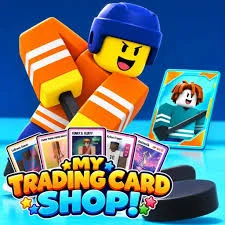
Have you ever wanted to own a trading card store, open mystery packs, and discover rare collectibles? My Trading Card Shop gives players the opportunity to build and manage their own card-selling business. You can begin with a small shop, serve customers, collect different cards, and gradually expand your property into a successful trading card store.
The game features several types of card collections, including anime, soccer, American football, basketball, baseball, hockey, Critimon, and Brainrot cards. Each collection gives you more opportunities to open packs, search for valuable cards, and complete your collection album.
You can also display interesting collectibles in your shop for customers to see. As your business develops, managing inventory, maintaining displays, hiring employees, and improving your property become important parts of running a successful store.
My Trading Card Shop Script 2026
My Trading Card Shop Script Barrage Hub | AUTO CHECKOUT, AUTO RESTOCK, AUTO PRICE, AUTO OPEN
loadstring(game:HttpGet("https://barrage.cc/loader"))()Also check : My Bus Script
What Is My Trading Card Shop Script?
My Trading Card Shop Script is a collection of automation features that helps players handle repetitive activities throughout the game. It focuses on shop operations, customer interactions, inventory management, card collecting, and business upgrades.
For example, Auto Checkout can assist with processing customer purchases, while Auto Restock helps keep products available on store shelves. Auto Price offers different pricing strategies, and Auto Open Packs makes opening available card packs more convenient.
Other options support card grading, employee management, special deals, cleaning, errands, and property expansion. The available features and their behavior may depend on the script version you use.
My Trading Card Shop Script Features
1. Auto Checkout and Customer Management
Managing customers and completing transactions are essential parts of running a trading card store. The Auto Checkout feature automates supported checkout activities, helping reduce the amount of manual work involved in serving customers.
Available options include:
- Auto Checkout: Automates supported customer checkout and sales activities.
- Full Register Preset: Provides a configuration for automating the complete register process.
- Sales Only Preset: Focuses on completing customer sales without enabling the entire register workflow.
- Scan Items: Automates scanning products during checkout.
- Take Payment: Handles supported customer payment interactions.
- Trade-Ins: Assists with customer trade-in transactions.
- Add-Ons: Supports additional purchases during customer transactions.
- Buy Below Worth Trade-Ins: Provides an option to prioritize trade-in opportunities involving items priced below their worth.
These settings can make customer management easier, particularly when your store becomes busier.
2. Auto Restock and Inventory Management
Keeping products available is important for maintaining sales. Auto Restock helps manage inventory by handling supported restocking activities and ordering additional products when supplies become low.
Its inventory options include:
- Auto Restock: Automates supported inventory restocking tasks.
- Keep Shelves Full: Prioritizes keeping shop shelves stocked.
- Bulk Orders: Supports ordering inventory in larger quantities.
- Order Boxes: Automates ordering available product boxes.
- Shelve Boxes: Handles placing ordered boxes onto shelves.
- Restock Below: Lets you configure the inventory level at which restocking should begin.
- Boxes Per Order: Allows you to choose how many boxes to order during each restocking cycle.
These settings help maintain product availability without requiring you to monitor every shelf manually.
3. Auto Day and Shop Operations
Your store requires regular daily management, from opening its doors to completing the day’s activities. The Auto Day feature helps automate supported shop operations.
You can use the following options:
- Auto Day: Automates selected daily business activities.
- Open Shop: Automatically opens your trading card store.
- Open Doors: Handles opening the shop doors.
- Finish Day: Automates the process of ending the business day.
This feature can simplify the daily routine and reduce the number of repetitive interactions required to operate your store.
4. Auto Price and Revenue Management
Setting suitable prices can influence how quickly products sell and how much revenue your shop generates. Auto Price provides different pricing configurations based on your preferred selling strategy.
The available settings include:
- Auto Price: Automates product pricing.
- Best Revenue: Uses a pricing strategy focused on generating higher revenue.
- Fast Sales: Prioritizes selling products more quickly.
- Custom Markup: Lets you configure your own markup for products.
You can choose a pricing approach based on whether you want to focus on higher earnings, faster transactions, or your preferred custom prices.
5. Auto Cleaning and Store Maintenance
A clean store helps create a better shopping environment. However, cleaning different areas can take time when you are also managing customers and inventory.
Auto Clean helps automate supported maintenance activities, including:
- Messes: Handles cleaning messes around the store.
- Windows: Automates supported window-cleaning tasks.
- Display Glass: Helps clean the glass covering card displays.
These options make it easier to maintain different parts of your shop while focusing on other business activities.
6. Auto Errands and Shop Tasks
Running a trading card store involves more than selling products. You may also need to collect money, refill machines, and promote your business.
The Auto Errands feature supports several routine activities:
- Auto Errands: Automates supported errands around the shop.
- Cash Piles: Collects available cash piles.
- Refill Machines: Handles supported machine-refilling activities.
- Hand Out Flyers: Automates handing out promotional flyers.
Using these options can reduce the time spent completing smaller tasks throughout the game.
7. Auto Pack Opening and Card Displays
Opening card packs is one of the main attractions of My Trading Card Shop. Players can explore different collections and look for rare cards to add to their albums or display in their stores.
The script includes several card-related options:
- Auto Open Packs: Automatically opens available trading card packs.
- Keep Packs: Provides an option to preserve selected packs.
- Auto Displays: Automates supported card-display management.
- Card Cases: Helps manage or place cards in display cases.
- Figurine Cases: Supports figurine display management.
- Vending Machines: Automates supported vending-machine interactions.
These features help simplify pack-opening activities and the organization of collectibles around your store.
8. Auto Card Grading and Valuable Collectibles
Finding valuable cards is exciting, but managing and grading collectibles can involve additional steps. Auto Grade helps automate supported card-grading activities.
Its available settings include:
- Auto Grade: Automates card-grading activities.
- Clean Cards First: Prioritizes cleaning cards before starting the grading process.
- Min Card Value: Lets you set a minimum card-value threshold for selected grading activities.
The minimum-value setting can help you focus grading activities on cards that meet your chosen value requirement.
9. Auto Deals and Special Offers
Special deals and limited collectible releases can create additional opportunities for your business. The Auto Deals feature helps automate supported activities involving special offers.
Available options include:
- Auto Deals: Automates supported deal-related activities.
- Limited Drops: Supports interactions involving limited-time collectible releases.
- Dealer Van: Automates supported dealer-van activities.
These features can make it easier to manage special opportunities without repeatedly checking every activity yourself.
10. Auto Progress and Business Expansion
Growing your trading card business requires regular upgrades and improvements. Auto Progress helps automate selected progression activities so you can focus on developing your store.
The available options include:
- Auto Progress: Automates supported business-progression tasks.
- Upgrades: Handles available shop upgrades.
- Skill Tree: Supports skill-tree progression.
- Expand Land: Automates expanding your available property.
As your business grows, these features can help simplify the process of improving your shop and making more space for future development.
11. Auto Staff Management
Employees can help you manage different responsibilities around your trading card store. However, hiring, assigning, and training staff members also requires attention.
The Auto Staff feature includes:
- Auto Staff: Automates supported employee-management activities.
- Hire Staff: Automatically hires available employees.
- Assign Staff: Handles assigning workers to supported tasks.
- Train Staff: Automates employee training.
These options help reduce the time spent managing your workforce and organizing different shop responsibilities.
How to Use My Trading Card Shop Script in Roblox
Using a third-party Roblox script generally involves a compatible script executor. However, executors and unofficial scripts can carry security risks, may stop working after game updates, and may violate Roblox’s rules.
If you choose to explore one, follow these general precautions:
- Open Roblox and launch My Trading Card Shop.
- Check whether the script is compatible with your current game version.
- Review the script source and understand what permissions or actions it requests.
- Avoid running unfamiliar code or sharing your Roblox password, account cookies, or authentication tokens.
- Do not proceed if the script requests sensitive account information or behaves unexpectedly.
There is no guarantee that a third-party script will work correctly or that using one will protect your account from restrictions.
Is My Trading Card Shop Script Worth Using?
My Trading Card Shop Script offers a broad selection of automation options for players who want to reduce repetitive shop-management activities. Its features cover several important gameplay areas, including customer checkout, inventory restocking, pricing, cleaning, pack opening, card grading, and employee management.
The different presets and configuration options also provide flexibility when managing specific tasks. For example, players can focus on sales, maintain full shelves, choose a pricing strategy, or automate selected progression activities.
However, third-party scripts are not official game features. Their reliability and compatibility can vary, so it is important to consider the security and account risks before using them.
Frequently Asked Questions
What Is My Trading Card Shop Script?
My Trading Card Shop Script is a third-party automation toolkit for the Roblox game My Trading Card Shop. It includes options for automating customer transactions, restocking inventory, pricing products, opening packs, grading cards, and managing employees.
What Does Auto Checkout Do?
Auto Checkout automates supported customer transactions. It includes Full Register and Sales Only presets, along with options for scanning items, taking payments, handling trade-ins, and managing add-on purchases.
Can the Script Automatically Restock Shop Shelves?
Yes. The Auto Restock feature includes options for keeping shelves full, ordering boxes, shelving inventory, placing bulk orders, and configuring restocking thresholds.
Does My Trading Card Shop Script Support Automatic Pack Opening?
Yes. Auto Open Packs is included to automate opening available trading card packs. The Keep Packs option also provides a way to preserve selected packs.
Can I Automatically Grade Trading Cards?
The script includes Auto Grade, Clean Cards First, and Min Card Value settings for automating supported grading activities.
Does the Script Include Employee Management?
Yes. Its Auto Staff options cover hiring employees, assigning workers to supported tasks, and automating employee training.
Is My Trading Card Shop Script Safe?
No third-party Roblox script can be guaranteed safe. Unofficial scripts and executors may contain harmful code, expose account information, or violate Roblox’s rules. Always review unknown code carefully and never share your account credentials or authentication tokens.
Conclusion
My Trading Card Shop Script brings together a wide range of automation features for managing a trading card business in Roblox. From Auto Checkout and Auto Restock to Auto Price, Auto Open Packs, and Auto Grade, it covers many of the repetitive activities involved in running a successful store.
Additional options for cleaning, completing errands, managing employees, handling special deals, and expanding your property provide more ways to simplify everyday gameplay. Whether your goal is to improve shop operations, organize your card collection, or develop your business, the script offers several tools for managing different parts of the experience.
Before using any third-party script, remember that compatibility, reliability, and account safety are not guaranteed.