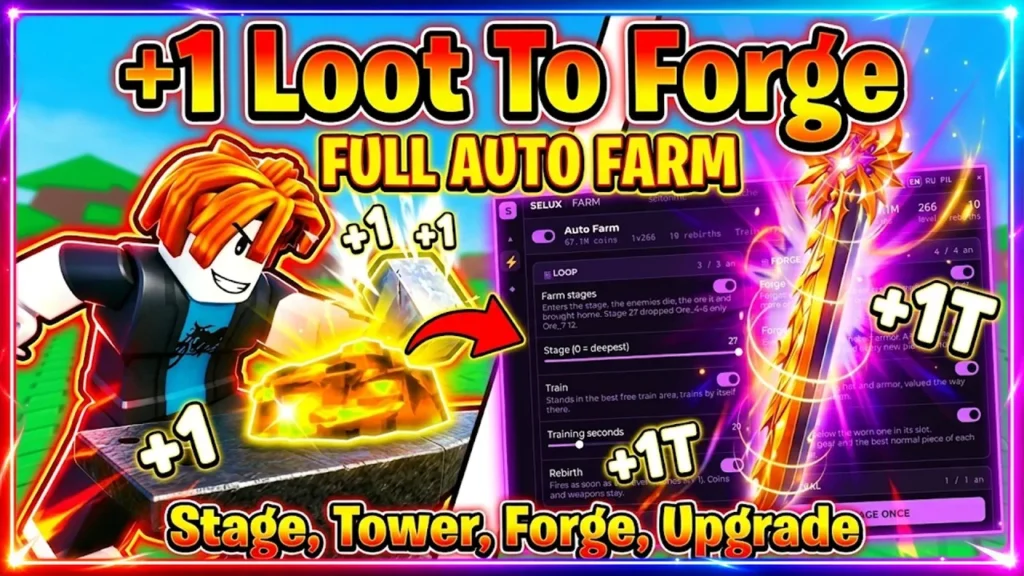
+1 Loot To Forge Script is a Roblox script designed to automate several of the game’s main progression systems. It can assist with combat, clicking, training, ore collection, dungeon farming, tower runs, forging, selling, upgrades, and rebirths.
The script also includes filters and selectors that give players more control over how automation works. You can choose which ore rarities to collect or use, decide which items should be kept or sold, select farming stages, and manage tower rounds according to your preferences.
Table of Contents
About +1 Loot To Forge
+1 Loot To Forge is a Roblox progression game focused on building power, fighting enemies, gathering resources, and creating stronger equipment. Players can generate power through clicking and training, defeat enemies for progression, collect ores, and use those materials at the forge to create better gear.
As progression continues, managing resources and repeating activities can become time-consuming. +1 Loot To Forge Script is intended to automate many of these repetitive tasks, allowing players to spend less time manually clicking, collecting materials, farming stages, and managing their inventory.
+1 Loot To Forge Script Copy
Auto Farm Full (Stage, Tower, Forge)
loadstring(game:HttpGet("https://raw.githubusercontent.com/seltonmt012/sel01-rbx/main/loader.lua"))()Auto Forge
loadstring(game:HttpGet("https://raw.githubusercontent.com/joustingmatch/Ouroboros/main/loader.lua"))()Also Check: The Forge Script
What Is +1 Loot To Forge Script?
+1 Loot To Forge Script is a collection of automation functions for the game. Instead of manually performing every repetitive activity, players can use the available options to automate selected parts of gameplay.
Depending on the script version and the current game update, available functions may include auto clicking, auto training, dungeon farming, tower farming, ore collection, automatic forging, selling, upgrades, and rebirths.
Some functions also include additional controls, such as rarity filters, stage selectors, item limits, and round selectors.
+1 Loot To Forge Script Features
Combat and Farming
The combat and farming options focus on automating the activities required to gain power and progress through different areas.
- Auto Click: Automatically performs clicking actions to generate power.
- Auto Train: Automates character training.
- Auto Farm Dungeon: Automatically farms selected dungeon stages.
- Auto Farm Tower: Automates tower farming.
- Farm Rounds In Order: Clears tower rounds sequentially.
- Instant Kill: Attempts to eliminate available targets quickly.
- Exit Fight Now: Allows you to leave the current fight immediately.
- Stage Selector: Lets you choose the stage that should be farmed.
These options can reduce the amount of repetitive combat and farming that normally needs to be performed manually.
Ore Collection
Ores are important resources for progression and forging. The script provides several options for managing ore collection and usage.
- Auto Collect Ore: Automatically collects available ores.
- Ore Rarity Filter: Lets you select which ore rarities should be prioritized.
- Keep Per Ore: Allows you to specify how many units of each ore should remain in your inventory.
- Spend Best Ore First: Prioritizes higher-value ores when materials are being spent.
- Forge Ore Rarity Filter: Lets you control which ore rarities can be used during forging.
These settings can be useful when you want to maintain specific materials instead of automatically spending or selling everything.
Forging and Gear
The forging system turns collected materials into equipment. Automation can make this process easier by handling repeated forging actions.
- Auto Forge: Automatically forges gear using available ore.
- Forge Now: Starts the forging process immediately.
- Target Gear Selector: Allows you to select the gear you want to forge.
- Keep Per Item: Sets the number of each item type you want to keep.
- Sell Item Types: Lets you select item categories that can be sold.
- Sell Rarity Filter: Filters items according to their rarity before selling.
These options provide more control over which materials are consumed and which pieces of equipment remain in your inventory.
Selling
Inventory management can become repetitive when large amounts of ore and equipment are collected. The selling options help automate this part of the process.
- Auto Sell: Automatically sells selected items.
- Sell All Now: Immediately sells eligible items.
- Sell Rarity Filter: Controls which item rarities can be sold.
Using filters is particularly useful when you want to avoid accidentally selling valuable materials or equipment.
Upgrades and Rebirth
Upgrades and rebirths are another important part of progression in +1 Loot To Forge. The script includes automation options for both systems.
- Auto Buy Upgrades: Automatically purchases selected upgrades.
- Upgrades To Buy: Lets you choose which upgrades should be purchased.
- Buy Upgrade Now: Immediately purchases the selected upgrade.
- Auto Rebirth: Automatically performs a rebirth when the required conditions are met.
- Rebirth Now: Manually triggers a rebirth when available.
These functions can reduce the amount of time spent checking upgrade menus and repeatedly performing progression actions.
Tower Controls
Tower farming includes additional controls for managing rounds and leaving the tower.
- Tower Start Round Selector: Selects the round where tower farming should begin.
- Exit Tower Now: Immediately leaves the current tower run.
The round selector can be useful when you want automation to begin from a particular point instead of starting from the first available round.
How to Use +1 Loot To Forge Script
The exact process depends on the script and the executor you are using. A general setup process is:
- Open Roblox and sign in to your account.
- Launch +1 Loot To Forge.
- Use a compatible script executor if required by the script.
- Copy the current +1 Loot To Forge Script from its source.
- Paste the script into the executor.
- Execute the script while the game is running.
- Wait for the script interface to appear.
- Select the automation features you want to use.
- Configure filters such as ore rarity, item rarity, stages, or tower rounds.
- Enable the selected functions and monitor the game to make sure they behave as expected.
Only use scripts and executors from sources you trust. Avoid entering your Roblox password, authentication cookies, or other sensitive account information into third-party tools.
+1 Loot To Forge Script Settings
One useful part of the script is its collection of customization settings. Rather than forcing every item or resource into the same automation process, the available filters can allow you to decide what should happen to different types of materials and gear.
For example, ore filters can help determine which rarities are collected or used for forging. Item settings can specify how many pieces should remain in your inventory, while selling filters can determine which items are eligible for automatic selling.
Stage and round selectors provide similar control over dungeon and tower farming.
Why Use +1 Loot To Forge Script?
The main purpose of the script is to reduce repetitive gameplay. Activities such as clicking, training, collecting ores, farming dungeons, completing tower rounds, forging equipment, selling items, purchasing upgrades, and rebirthing can require repeated manual actions.
Automation can make these activities less repetitive and help organize resource management. However, the actual results depend on the script version, the game’s current systems, and whether the selected functions still work after an update.
Script Compatibility
Compatibility can change whenever Roblox or +1 Loot To Forge receives an update. A script that works on one version may stop working after changes are made to the game’s mechanics or Roblox’s environment.
If a feature does not respond, check whether the script has been updated and whether the executor supports the current Roblox version. Avoid assuming that every listed function will work at all times.
Common Problems
Script Does Not Execute
The executor may not support the current Roblox version, or the script itself may need an update. Restarting Roblox and using a current version of the script may resolve some compatibility problems.
Auto Farm Is Not Working
Check the selected stage, tower round, or farming settings. Some automation options may require a particular area, progression level, or game state before they can function correctly.
Ore Is Being Used Automatically
Review the ore rarity and forging filters. Options such as Spend Best Ore First and Forge Ore Rarity Filter can affect which materials are consumed.
Items Are Being Sold
Check the Sell Item Types and Sell Rarity Filter settings. Incorrect selling filters may cause more items to be marked for automatic selling than intended.
Tower Farming Stops
Verify the starting round and tower settings. Game updates can also change tower mechanics and cause older automation functions to stop working.
Is +1 Loot To Forge Script Safe?
Third-party Roblox scripts and executors are not automatically safe. Their reliability depends on where they come from and what code they contain. Unknown scripts may create security risks, while using unauthorized automation can also violate Roblox’s rules and potentially result in account restrictions.
Before using any third-party script, avoid providing passwords, cookies, authentication tokens, or other sensitive information. It is also a good idea to review the script source and understand the risks associated with running third-party code.
Does +1 Loot To Forge Script Support Mobile?
Mobile compatibility depends on the executor and the particular script version. Some executors may support mobile platforms, while others may be limited to Windows or other environments.
If you are using a mobile device, confirm that the executor supports your operating system before attempting to run the script.
Does the Script Require a Key?
Key requirements can change between script versions. Some releases may operate without a key system, while others may require users to complete a key verification process before accessing the script.
Always check the current script release for its latest requirements.
Frequently Asked Questions
What is +1 Loot To Forge Script?
+1 Loot To Forge Script is a third-party Roblox automation script that provides functions for activities such as clicking, training, dungeon farming, tower farming, ore collection, forging, selling, upgrades, and rebirths.
What can the script automate?
Depending on the current version, it can automate clicking, training, dungeon farming, tower rounds, ore collection, forging, selling, upgrades, and rebirths.
Can I choose which ores are kept?
The listed settings include an Ore Rarity Filter and Keep Per Ore option, allowing users to configure which ore rarities to prioritize and how many units to retain.
Can the script automatically forge gear?
Yes, the listed features include Auto Forge, Forge Now, and a Target Gear Selector for managing the forging process.
Can I control which items are sold?
Yes. The script includes Sell Item Types, Sell Rarity Filter, and Keep Per Item settings for managing item sales and inventory retention.
Does it support tower farming?
Yes. The listed tower functions include Auto Farm Tower, Farm Rounds In Order, Tower Start Round Selector, and Exit Tower Now.
Can it automatically rebirth?
The script includes an Auto Rebirth option, along with a manual Rebirth Now function.
Why did the script stop working?
Scripts can stop working after Roblox or the game receives an update. An outdated script, executor incompatibility, or changes to the game’s mechanics can also affect individual functions.
Conclusion
+1 Loot To Forge Script focuses on automating many of the repetitive systems found in the game. Its feature set covers combat, clicking, training, dungeon and tower farming, ore collection, forging, selling, upgrades, and rebirths.
The filtering and selector options provide additional control over resources, equipment, farming stages, and tower rounds. Since third-party scripts can become outdated and may carry account or security risks, always use caution and verify compatibility before running one.