Murder Mystery 2, commonly known as MM2, is one of Roblox’s most popular multiplayer mystery games. Players are assigned different roles and must use strategy, observation, and quick reactions to survive each round.
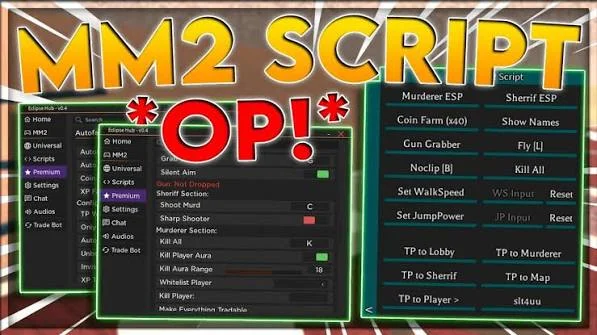
MM2 Admin Panel Script is a collection of third-party scripts designed to provide additional gameplay functions through a custom interface. Depending on the script version, available features may include Auto Farm, X-Ray, Auto Farm Grab Gun, Player ESP, Kill All, AFK Farm, and other utilities.
Different scripts can focus on different aspects of the game. Some may offer a large number of options through an admin-style panel, while simpler releases may concentrate on a smaller selection of functions.
Because Roblox and Murder Mystery 2 are regularly updated, script compatibility can change. A function that works with one version may stop working after an update, so users should always check whether they are using a current release.
Table of Contents
What Is MM2 Admin Panel Script?
MM2 Admin Panel Script is a third-party Roblox script created for Murder Mystery 2. It provides a collection of additional controls that can be accessed through a graphical interface.
The purpose of the panel is to organize different functions in one place. Depending on the release, players may be able to access farming, visual, movement, and round-related features.
Some MM2 scripts are distributed as paste-style scripts that can be copied into a compatible executor. However, the availability and compatibility of individual scripts can vary significantly between releases.
Murder Mystery 2 Scripts 2026
Murder Mystery 2 Script Mario Hub
loadstring(game:HttpGet("https://raw.githubusercontent.com/xDTaraZz/Roblox-Scripts/refs/heads/main/loader.lua"))()MM2 Script Fable Hub
loadstring(game:HttpGet("https://raw.githubusercontent.com/Havickzi/Rocket-script/refs/heads/main/Fable_Hub.lua"))()Murder Mystery 2 Script Kazz Hub
loadstring(game:HttpGet("https://api.jnkie.com/api/v1/loaders/public/353accd2d41a5a30c879705a8ff47926fab2c8b7d7baf34d31c0522b8c6c0a41/download"))()Murder Mystery 2 Script Kairis Hub
loadstring(game:HttpGet("https://raw.githubusercontent.com/Kairis-Scripts/MM2/refs/heads/main/KairisHub"))()Murder Mystery 2 Script BROOD Hub
loadstring(game:HttpGet("https://raw.githubusercontent.com/madundung863-a11y/Loaders-BroodScript/refs/heads/main/MM2%20script"))()Murder Mystery 2 Script Summer ToraHub
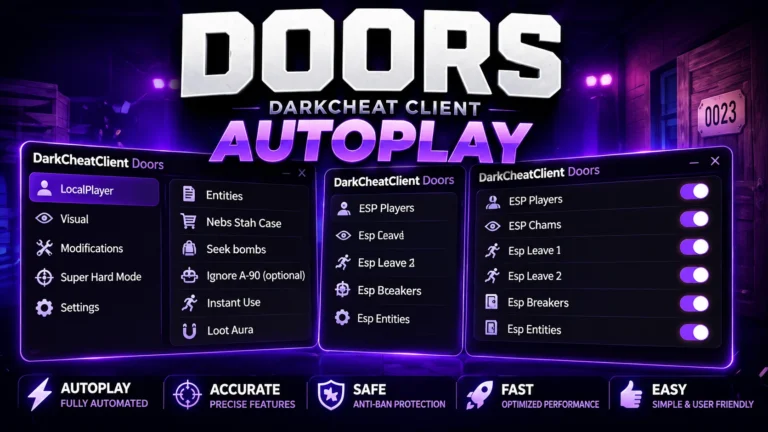
loadstring(game:HttpGet("https://raw.githubusercontent.com/gumanba/Scripts/main/mm2"))()Also check: DOORS Script
MM2 Admin Panel Features
The available functions depend on the specific script. Some of the commonly advertised options include the following.
Auto Farm
Auto Farm is designed to automate repetitive farming activities. Instead of manually performing the same actions throughout a round, the script attempts to handle selected farming tasks automatically.
The exact behavior can differ between versions and may stop working if MM2 changes its gameplay systems.
X-Ray
X-Ray is a visual feature designed to provide additional visibility through certain objects or walls.
In MM2, this type of feature may help users identify players or other important elements that are normally hidden from view.
Auto Farm Grab Gun
Auto Farm Grab Gun is designed to automate the process of obtaining the gun when it becomes available during a round.
The function depends on the current game mechanics and may require an updated script after changes to MM2.
Player ESP
Player ESP provides additional visual information about players in the game. Depending on the script, different players or roles may be displayed using visual indicators.
This can make it easier to keep track of player locations during a round.
Kill All
Some MM2 scripts advertise a Kill All function designed to target multiple players automatically.
The behavior and availability of this feature depend on the script and the player’s role. Game updates can also affect whether it continues to function.
AFK Farm
AFK Farm is designed to automate selected activities while the player is away from the keyboard.
The purpose is to reduce the amount of manual input required during repetitive farming sessions.
Additional Functions
Some versions of MM2 Admin Panel may include additional utilities beyond the features listed above. Since third-party scripts can be updated independently, the available feature list can change over time.
MM2 Admin Panel GUI
One of the main advantages of an admin-style script is its graphical interface. Instead of entering separate commands, users can select functions directly from the panel.
A typical GUI may organize features into categories such as:
- Farming
- Visual settings
- Player options
- Movement
- Round utilities
- Automation
- Miscellaneous settings
The actual layout depends on the script version.
How to Use MM2 Admin Panel Script
The setup process depends on the script and the third-party executor being used. A general process may include:
- Open Roblox and sign in to your account.
- Launch Murder Mystery 2.
- Use a compatible third-party executor if the script requires one.
- Obtain the latest MM2 Admin Panel Script from its source.
- Copy the script code.
- Paste it into the executor.
- Execute the script while MM2 is running.
- Wait for the admin panel or GUI to appear.
- Review the available functions.
- Enable the features you want to test.
- Adjust any available settings through the interface.
- Disable functions that cause errors or unexpected behavior.
Only use scripts from sources you trust. Never enter your Roblox password, cookies, authentication tokens, or other private account information into third-party scripts or executors.
MM2 Script for PC
PC users can access third-party Roblox scripts through compatible executor environments. However, compatibility depends on the current Roblox version, executor, and script.
If the script does not load or the interface fails to appear, check whether the executor and script have been updated for the current Roblox environment.
MM2 Script for Mobile
Some third-party executors support mobile devices, including certain Android environments. Script support is not universal, however.
A script that works on PC may not automatically work on mobile or tablet. Before using one, verify that both the executor and the script support your particular device and Roblox version.
Why MM2 Scripts Stop Working
Murder Mystery 2 and Roblox can receive updates that change game mechanics or technical systems. These changes can cause third-party scripts to become outdated.
Common reasons include:
- MM2 received a game update.
- Roblox changed its underlying systems.
- The executor is outdated.
- The script has not been updated.
- A particular feature was changed or removed.
- The script is incompatible with the current game version.
Sometimes the entire script may stop loading, while in other cases only one or two functions become unavailable.
How to Fix MM2 Script Problems
If an MM2 script stops working, first restart Roblox and try again with the latest available script version.
You should also check whether your executor supports the current Roblox version. If the GUI loads but a particular feature does not respond, test other functions separately to determine whether the problem is limited to that feature.
After a major MM2 update, older scripts may require changes before they can work again. In that situation, waiting for a compatible update may be necessary.
Latest MM2 Scripts
The term “latest” can change quickly because script compatibility depends on updates from Roblox and Murder Mystery 2.
Rather than assuming that an older script will continue working indefinitely, check whether the release has recently been updated and whether other users are reporting compatibility with the current game version.
Features can also behave differently after updates, so individual functions should be treated separately.
Is MM2 Admin Panel Script Safe?
Third-party Roblox scripts should be treated carefully. A script being described as verified, working, or safe does not guarantee that it is free from security risks.
Unknown code can contain unwanted behavior, while unauthorized scripts may also violate Roblox’s rules and potentially result in account restrictions.
Before running third-party code, consider its source and avoid sharing sensitive account information. Never provide your Roblox password, authentication cookies, session tokens, or other private credentials to script providers or executors.
Does MM2 Admin Panel Require a Key?
Key requirements depend on the individual script. Some releases may work without a key, while others can require users to complete a verification process.
If you are looking for a keyless version, check the requirements of the specific release before using it.
MM2 Script Compatibility
Compatibility can vary between scripts, executors, devices, and Roblox versions.
Before using an MM2 script, consider checking:
- Current Roblox version
- Current Murder Mystery 2 version
- Executor compatibility
- Script update status
- PC or mobile support
- Individual feature compatibility
This can help determine whether a problem comes from the script, executor, game, or device.
Frequently Asked Questions
What is MM2 Admin Panel Script?
MM2 Admin Panel Script is a third-party Roblox script for Murder Mystery 2 that provides additional gameplay functions through a graphical interface. Depending on the release, features may include Auto Farm, X-Ray, Auto Farm Grab Gun, Player ESP, Kill All, and AFK Farm.
What does Auto Farm do?
Auto Farm is designed to automate selected repetitive farming activities in Murder Mystery 2. Its exact behavior depends on the script version.
What is X-Ray in an MM2 script?
X-Ray is a visual feature designed to provide additional visibility through certain objects or walls, potentially making players or other elements easier to identify.
What does Player ESP do?
Player ESP adds visual indicators for players, helping users keep track of player locations during a round.
Can MM2 scripts automatically grab the gun?
Some scripts advertise an Auto Farm Grab Gun function that attempts to automate obtaining the gun when it becomes available.
Does MM2 Admin Panel work on mobile?
Some releases may work on mobile when used with a compatible executor, but mobile support depends on the specific script and executor.
Why did my MM2 script stop working?
The script may be outdated, the executor may not support the current Roblox version, or Murder Mystery 2 may have changed systems that the script relies on.
Can using an MM2 script get my account restricted?
Unauthorized third-party scripts can violate Roblox’s rules and may carry a risk of account restrictions. No script can guarantee that an account will remain free from penalties.
Are all MM2 scripts keyless?
No. Key requirements vary between scripts and releases. Some may be keyless, while others use a key-verification system.
Conclusion
MM2 Admin Panel Script provides a collection of third-party functions designed for Murder Mystery 2. Depending on the release, players may find features such as Auto Farm, X-Ray, Auto Farm Grab Gun, Player ESP, Kill All, AFK Farm, and other utilities.
The graphical interface can make it easier to access different functions from one place, while separate scripts may focus on specific types of automation or visual features.
However, Roblox and Murder Mystery 2 can change frequently, which means script compatibility is not permanent. Always check for current updates, use caution with third-party code, and protect your Roblox account credentials when using external scripts or executors.