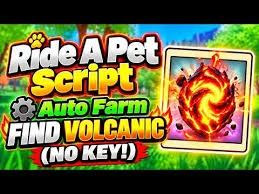
Looking for a way to automate repetitive tasks in Ride A Pet? A Ride A Pet Script is a third-party Lua script designed to add extra automation and utility features to the Roblox game. Depending on the script version, players may find functions such as Auto Collect, Auto Farm, Egg ESP, Auto Hatch, Auto Place, Auto Rebirth, Auto Sell, Teleport, and movement controls.
Ride A Pet is a Roblox simulation game centered around discovering eggs, hatching them, collecting pets, and improving their abilities. As players progress, they can search for better pets, increase their movement speed, and use mutations to make their pets more useful.
Because many parts of the game involve repeating the same actions, some players look for scripts that can automate egg collection, hatching, pet management, farming, selling, and other activities. Some scripts also include visual tools such as Egg ESP or utility options such as teleportation and collection-range controls.
This guide explains the main Ride A Pet Script features, how these scripts are generally used, key-based and keyless versions, executor compatibility, common problems, and important safety considerations.
Table of Contents
What Is Ride A Pet Script?
A Ride A Pet Script is Lua-based code created by third-party developers to add additional functions to Ride A Pet through a Roblox script executor. The exact features depend on the individual script and whether it has been updated for the current version of the game.
Many scripts are designed around the main progression loop of Ride A Pet. Instead of manually searching for eggs, collecting them, placing them, hatching them, and managing pets, supported scripts can automate some of these repetitive actions.
Common features found in Ride A Pet scripts include:
- Auto Collect Eggs
- Auto Farm
- Auto Hatch
- Auto Place
- Egg ESP
- Auto Sell
- Auto Rebirth
- Teleport
- Collection Range
- Speed Controls
- Pet Management
- No Key or Keyless Access
Not every script includes all of these options. Features can also stop working when Roblox or Ride A Pet receives an update, so compatibility should always be checked before using a particular version.
Latest Ride A Pet Script 2026
Mystrix Hub Ride A Pet Script Update 2
loadstring(game:HttpGet("https://raw.githubusercontent.com/ummarxfarooq/mystrix-hub/refs/heads/main/loader"))()Zanji hub Ride A Pet
loadstring(game:HttpGet("https://raw.githubusercontent.com/jr0nzz/rap/refs/heads/main/rap.lua"))()Thumbs hub
loadstring(game:HttpGet("https://api.luarmor.net/files/v4/loaders/7a310d875453e7adb4fe6046e3ab0af9.lua"))()Blyxo hub Scirpt Ride A Pet – Keyless, Auto Steal, Auto Hatch
loadstring(game:HttpGet("https://flowauth.net/v1/loaders/1d8892dc79719bebaad7bac289e338c9.lua"))()XyronHub
loadstring(game:HttpGet("https://raw.githubusercontent.com/vikrantsudo/XyronHub/refs/heads/main/RideAPet"))()IVORY HUB
script_key="YOUR KEY HERE";
loadstring(game:HttpGet("https://jnkie.com/loaders/ivory"))()
Ouroboros Script
loadstring(game:HttpGet("https://raw.githubusercontent.com/joustingmatch/Ouroboros/main/loader.lua"))()Akazhub
loadstring(game:HttpGet("https://akazhub.netlify.app/script.lua"))()A7Dev Hub
loadstring(game:HttpGet("https://raw.githubusercontent.com/moa456811-prog/roblox-hubs/main/hubs/ride-a-pet/Hub.lua"))()ThiAez HUB
loadstring(game:HttpGet("https://raw.githubusercontent.com/GZSSF/RideAPetV2/refs/heads/main/RideAPetV2"))()Nemo Hub
loadstring(game:HttpGet("https://raw.githubusercontent.com/NemoScripts/NemoHubGames/refs/heads/main/besthub"))()Delta Script Ride A Pet
loadstring(game:HttpGet("https://synex.lat/loaders/ride-a-pet.lua"))()Snowy hub
loadstring(game:HttpGet("https://flowauth.net/v1/ui/a87f00d9adf63658655fcd02ab86a4ef.lua"))()Script of J
loadstring(game:HttpGet("https://pastebin.com/raw/EJUc2EQ6"))() Also Read: Steal An Egg Script Auto Steal
Main Features of Ride A Pet Scripts
Different Ride A Pet scripts provide different combinations of automation and utility functions. Here are some of the features players commonly look for.
Auto Collect Eggs
Auto Collect automatically searches for available eggs and collects them when supported by the script. This can reduce the amount of manual movement required when gathering eggs across the map.
Auto Place Eggs
Auto Place is designed to automate the process of taking collected eggs to the required location and placing them. The exact behavior depends on how the individual script interacts with the game.
Auto Hatch
Auto Hatch repeatedly hatches eligible eggs without requiring the player to perform every hatch manually. This can be useful when a player has a large number of eggs waiting to be processed.
Auto Farm
Auto Farm combines supported repetitive actions into an automated farming routine. Depending on the script, this may include collecting eggs, placing them, hatching them, and performing other progression-related actions.
Egg ESP
Egg ESP adds visual indicators to help identify eggs around the map. Instead of manually searching every area, players can use the ESP display to locate available eggs more easily.
Auto Sell
Auto Sell automatically sells supported pets or other eligible items according to the script’s settings. This can help manage inventory when unwanted pets accumulate during automated farming.
Auto Rebirth
Auto Rebirth performs the rebirth process when the required conditions are met. This can reduce the need to repeatedly return to the rebirth option manually.
Collection Range
Collection Range changes how far the script can detect or interact with supported eggs. Some versions may include a slider or numerical setting for adjusting the range.
Teleport
Teleport features can provide quick movement between supported locations. Depending on the script, available destinations may include egg locations, home areas, or other useful points on the map.
Speed Controls
Speed options can modify movement settings to make traveling around the game world faster. The available controls vary between scripts.
No Key Support
Some scripts advertise keyless access, meaning users can launch the script without completing a separate key-verification process. However, keyless availability can change when developers release new versions.
How to Use Ride A Pet Script
The general process for running a third-party Roblox script involves a compatible executor and the script itself. The exact interface differs between executors, so follow the instructions provided by the tool you are using.
- Open Roblox and make sure your account is logged in.
- Choose a script executor that is compatible with your device and the current Roblox client.
- Open the executor and complete its required setup according to its documentation.
- Launch Ride A Pet and allow the game to load completely.
- Copy the complete Ride A Pet Script from the source you are using.
- Paste the script into the executor’s script editor.
- If the executor requires an attach or injection step, complete it according to the executor’s instructions.
- Execute the script while Ride A Pet is running.
- Wait for the script interface to appear.
- Enable only the features you want to use, such as Auto Collect, Auto Hatch, Egg ESP, or Auto Farm.
- If the script requires a key, complete the verification process provided by the script developer.
- If the script does not load, stop execution and check whether the script and executor support the current version of Ride A Pet.
Never provide your Roblox password, session cookies, authentication codes, or backup codes to a script or executor.
Key vs Keyless Ride A Pet Scripts
Ride A Pet scripts may use either a key-based or keyless access system. The main difference is how the script is activated before its features can be used. Key-based scripts require an additional verification step, while keyless scripts generally allow users to access the script without entering a separate key.
| Feature | Key-Based Script | Keyless Script |
|---|---|---|
| Activation | Requires a key or verification | Usually starts without a separate key |
| Setup | Requires an additional verification step | Usually involves fewer setup steps |
| Access | Depends on the script’s key system | Depends on the script provider |
| Updates | Key requirements may change after updates | Keyless access may change after updates |
| Convenience | Takes an extra step before use | Provides a more straightforward setup |
A keyless script does not automatically mean that it is safer or more reliable. The important factors are the source, current version, compatibility, and permissions requested by the software.
Ride A Pet Script Executor Compatibility
A script executor is the software used to load third-party Lua scripts. Compatibility can vary significantly between different scripts and executor versions.
Some community script listings may mention tools such as Delta, Xeno, Solara, Wave, KRNL, Fluxus, or other executors. However, executor support can change after Roblox updates, and a script that worked with one tool previously may stop working later.
Before using an executor, check:
- Whether it supports your device
- Whether it supports the current Roblox client
- Whether the Ride A Pet script specifically lists it as compatible
- Whether the executor has received recent updates
- Whether the script requires a particular execution environment
Avoid choosing an executor solely because it appears frequently in online lists. Compatibility with the specific script matters more than the number of names listed on a website.
Is Ride A Pet Script Safe?
Third-party scripts and executors are not official Roblox tools, so they should be treated carefully. A script may stop working after an update, and files downloaded from unknown websites can potentially contain unwanted or harmful software.
There is also an account-related risk. Using unauthorized software or exploits may violate Roblox’s rules and can potentially lead to account restrictions or other enforcement.
For safer use, follow these precautions:
- Download software only from sources you trust.
- Check whether the script has been recently updated.
- Avoid suspicious download buttons and unexpected redirects.
- Scan downloaded files before opening them.
- Never enter your Roblox password into an executor or script website.
- Never provide session cookies or authentication tokens.
- Do not disable security software simply because a download page tells you to.
- Stop using a script if it requests sensitive account information.
- Check whether the script is compatible before executing it.
No third-party script should be described as guaranteed safe, completely undetectable, or guaranteed to prevent an account ban.
Common Ride A Pet Script Problems
Scripts can fail for several reasons, including game updates, executor changes, incorrect setup, or outdated code.
Script Does Not Execute
The script may be outdated, incomplete, or incompatible with the executor.
Check that the entire script was copied and confirm that the script version supports your current setup.
Executor Does Not Attach
The executor may not support the current Roblox client or may require an update.
Restart Roblox and the executor, then check the executor’s current compatibility information.
Script GUI Does Not Appear
The script may not have loaded correctly or may be incompatible with the current game version.
Wait briefly after execution and verify that you are using a current version of the script.
Roblox Crashes
Crashes can occur when a script uses unsupported functions or when the executor and script are incompatible.
Close Roblox completely and avoid repeatedly executing a script that consistently causes crashes.
Auto Farm Does Not Work
Auto Farm may require manual activation or may depend on specific game conditions.
Open the script interface and confirm that Auto Farm is enabled. If the feature still does nothing, check whether the script has been updated.
Auto Collect Cannot Find Eggs
The script may not recognize the current egg system or its collection range may be too limited.
If the script provides a collection-range setting, check that configuration. If the problem started after a game update, look for a newer script version.
Auto Place Fails
Auto Place may stop working when the game’s placement mechanics change.
Return to the appropriate area, restart the feature, and check whether a newer version of the script is available.
Key Verification Fails
A key may expire or become invalid when the script provider changes its verification system.
Use the current verification method supplied by the script provider rather than downloading keys from unrelated websites.
Features Stop Working After an Update
Roblox and individual experiences can change their internal systems during updates. These changes can cause third-party scripts to stop functioning.
If several features suddenly stop working after an update, the issue may be compatibility rather than your settings. Wait for or use a version specifically updated for the current game.
Tips for Using Ride A Pet Scripts
If you decide to experiment with third-party scripts, a few basic practices can reduce common problems.
First, check the script’s update date before using it. An old script may contain functions that no longer work with the current game.
Second, read the feature list carefully. Some scripts advertise many functions but only a portion may currently work.
Third, test features individually rather than enabling everything immediately. This makes it easier to identify which feature is causing an issue.
Fourth, keep your Roblox account information private. Scripts should not require your password, cookies, authentication codes, or other confidential credentials.
Finally, remember that third-party scripts can carry both technical and account-related risks. Use them only with an understanding of those risks.
FAQs
What Is a Ride A Pet Script No Key?
A Ride A Pet Script No Key is a version that does not require a separate key-verification step to access its features. The keyless status can change when the script developer releases a new version.
Can I Use a Ride A Pet Script on Mobile?
That depends on the specific script and executor. Some third-party tools are designed for mobile devices, while others only support particular desktop environments. Always check the current compatibility information before attempting to run a script.
Can I Get Banned for Using Scripts in Ride A Pet?
Using unauthorized scripts or exploit tools can violate Roblox’s rules and may result in account enforcement. There is no reliable way to guarantee that an account will not be restricted when using third-party exploit software.
What Is the Best Executor for Ride A Pet?
There is no permanent executor that works with every Ride A Pet script. Compatibility changes over time, so check whether the specific script supports the executor and Roblox version you are using.
Can Ride A Pet Scripts Stop Working After an Update?
Yes. Roblox and Ride A Pet updates can change systems that third-party scripts depend on. When that happens, features may stop working until the script developer releases a compatible update.
Why Is Egg ESP Not Working?
Egg ESP can stop working if the script is outdated or if the game’s egg system has changed. Check whether the script has a newer version and confirm that the ESP feature is enabled.
Why Does Auto Hatch Stop Working?
Auto Hatch may depend on the current egg or pet mechanics. If it suddenly stops after an update, the script may need to be updated before the feature works again.
Are Keyless Scripts Safer Than Key-Based Scripts?
Not necessarily. The presence or absence of a key system does not determine whether a script is safe. The source, downloaded files, permissions, and overall trustworthiness of the software are more important considerations.
Conclusion
Ride A Pet Scripts can automate several repetitive parts of the Roblox experience, including egg collection, egg placement, hatching, farming, selling, rebirths, and pet management. Depending on the script, players may also find Egg ESP, teleportation, collection-range settings, speed controls, and other utility features.
However, third-party scripts and executors can become outdated whenever Roblox or Ride A Pet changes. They can also introduce security and account risks, particularly when downloaded from unknown sources or when they request sensitive information.
If a Ride A Pet Script stops working, first check whether the game or Roblox client has recently been updated. Then verify the script version, executor compatibility, and individual feature settings. Avoid using scripts that request your password, cookies, or authentication codes, and remember that unofficial exploit tools may violate Roblox’s rules.