Vacuum For Brainrots Script is a powerful Lua-based Roblox script designed to automate gameplay and make progression faster in the Vacuum For Brainrots game. Players use this script to collect brainrots, upgrade equipment, and earn cash automatically without doing repetitive tasks manually.
Vacuum For Brainrots is a grinding-style game where players collect items, upgrade their vacuum, and improve their base. Since progress can take time, many players use scripts to speed things up and enjoy smoother gameplay.
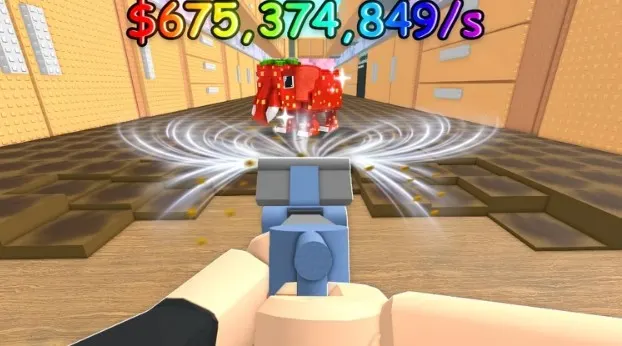
What Is Vacuum For Brainrots Script?
Vacuum For Brainrots Script is a custom Lua code that runs through a Roblox executor. Once executed, it injects into the game and provides a GUI menu where players can control different automation features.
Instead of manually collecting brainrots, upgrading stats, or selling items, the script handles everything automatically. This allows players to progress faster and focus more on enjoying the game.
KhSaeed90 Hub
loadstring(game:HttpGet("https://raw.githubusercontent.com/KhSaeed90/Roblox/refs/heads/workspace/93724112271596"))()OP SCRIPT
loadstring(game:HttpGet('https://pastefy.app/wuuT3Tup/raw'))()Features Of Vacuum For Brainrots Script
- Auto Farm Brainrots – Automatically collects brainrots continuously without manual effort
- Auto Collect Cash – Instantly gathers all in-game money and rewards
- Auto Upgrade Vacuum Power – Upgrades vacuum strength automatically for faster collection
- Auto Upgrade Speed & Carry – Improves movement speed and carrying capacity
- Auto Upgrade Base – Automatically upgrades your base for better efficiency
- Auto Purchase Shop Items – Buys upgrades and items from the shop instantly
- Auto Sell – Sells collected items automatically without going to the sell point
- Auto Place Brainrots Stands – Places stands automatically for better farming setup
- Auto Rebirth – Performs rebirth automatically to boost progression
- Hide Tiles / Visual Tweaks – Improves visibility and reduces clutter
- More Extra Features – Includes additional automation and quality-of-life options
How to Use Vacuum For Brainrots Script
- First of all open Roblox
- Join the Vacuum For Brainrots game
- Launch a Roblox script executor
- Copy the Vacuum For Brainrots Script from a trusted source
- Paste the script into the executor
- Click on the execute button
- Wait for the GUI menu to appear
- Enable features like auto farm, auto sell, or upgrades
Frequently Asked Questions (FAQs)
What is Vacuum For Brainrots Script?
It is a Roblox Lua script that automates tasks like farming brainrots, collecting cash, upgrading stats, and selling items to make gameplay faster and easier.
Is Vacuum For Brainrots Script safe to use?
It depends on the source, but there is always risk involved. Since Roblox does not allow scripts, using them may lead to account issues or security risks.
What features does this script offer?
It offers features like auto farm, auto collect, auto upgrade, auto sell, auto rebirth, and many more automation tools.
Do I need an executor to run the script?
Yes, you need a Roblox executor like KRNL, Delta, or Fluxus to run the script.
Can I get banned for using this script?
Yes, using scripts can lead to temporary or permanent bans because it violates Roblox rules.
Is the script free or paid?
Most Vacuum For Brainrots scripts are free, but some advanced versions or executors may require payment.
Does it work on mobile?
Yes, some executors support mobile devices, but it usually works better on PC.
How do I update the script?
You need to copy the latest version from the source where you got it, as scripts may stop working after game updates.
Conclusion
Vacuum For Brainrots Script is a useful tool for players who want faster progress and automated gameplay. With features like auto farm, auto upgrades, and auto sell, it removes grinding and makes the game more efficient.
However, it is not an official feature, and using it comes with risks such as bans or security issues. Always use trusted sources and be careful while using any script.